
Some catalogs are built for one-time sales. Others just keep growing: a new sample pack every month, another batch of Lightroom presets, the next issue of the zine, a printable for every season. If you’ve been selling those digital downloads on Shopify one file at a time, you’ve been sitting on a membership.
Fileflare now connects to Zendra, our Shopify memberships and subscriptions app. Once they’re linked, the files you already host in Fileflare become membership perks: members can get a whole library for as long as their membership is active, or a set of free downloads that can refresh every time they renew. The integration is now live for every store.
Turn your digital downloads into a Shopify membership
A one-time sale pays you once. A membership pays you every month the member stays, and for a digital catalog, the thing they’re paying for already exists: the back catalog you’ve spent years building, plus whatever you make next. (If you want the numbers behind that, our article on turning one-time buyers into recurring revenue works through them.)
The two apps split the work. Zendra sells the membership, bills the subscription, and decides who has access to what and when. Fileflare stores the files, serves the downloads, and protects them, the same way it does for your orders today. They’re sibling apps built to connect, so there are no tags, metafields, or custom code to wire up, and you don’t upload anything twice, since Zendra reads straight from your Fileflare library.
A membership doesn’t replace your one-off sales, either. Customers can still buy individual files the usual way, and the membership becomes the better deal for people who want more than one.
Connect Fileflare from Zendra
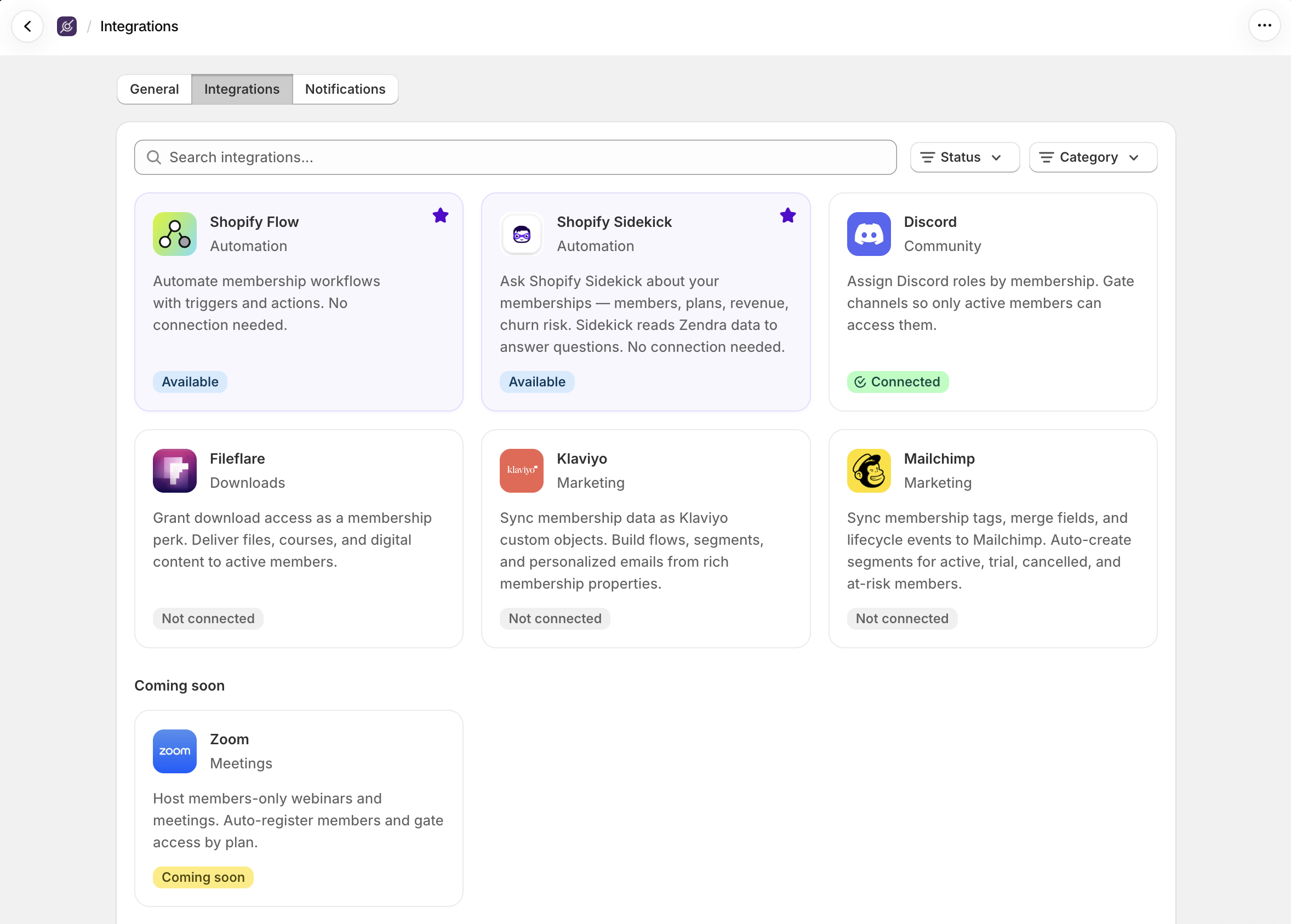
The connection starts on the Zendra side. In Zendra, go to Settings » Integrations and open the Fileflare card. If Fileflare is installed on your store, you’ll see a Connect button; it’s an app-to-app connection, so there are no API keys to copy between tabs.
The connect page checks two requirements for you:
- Fileflare needs to be on a paid plan, Lite and up. If yours isn’t, Zendra says so and links you to Fileflare to upgrade.
- Zendra perks for Fileflare work on every Zendra plan, Free included. (So if you haven’t tried Zendra yet, no risk! Start free.)
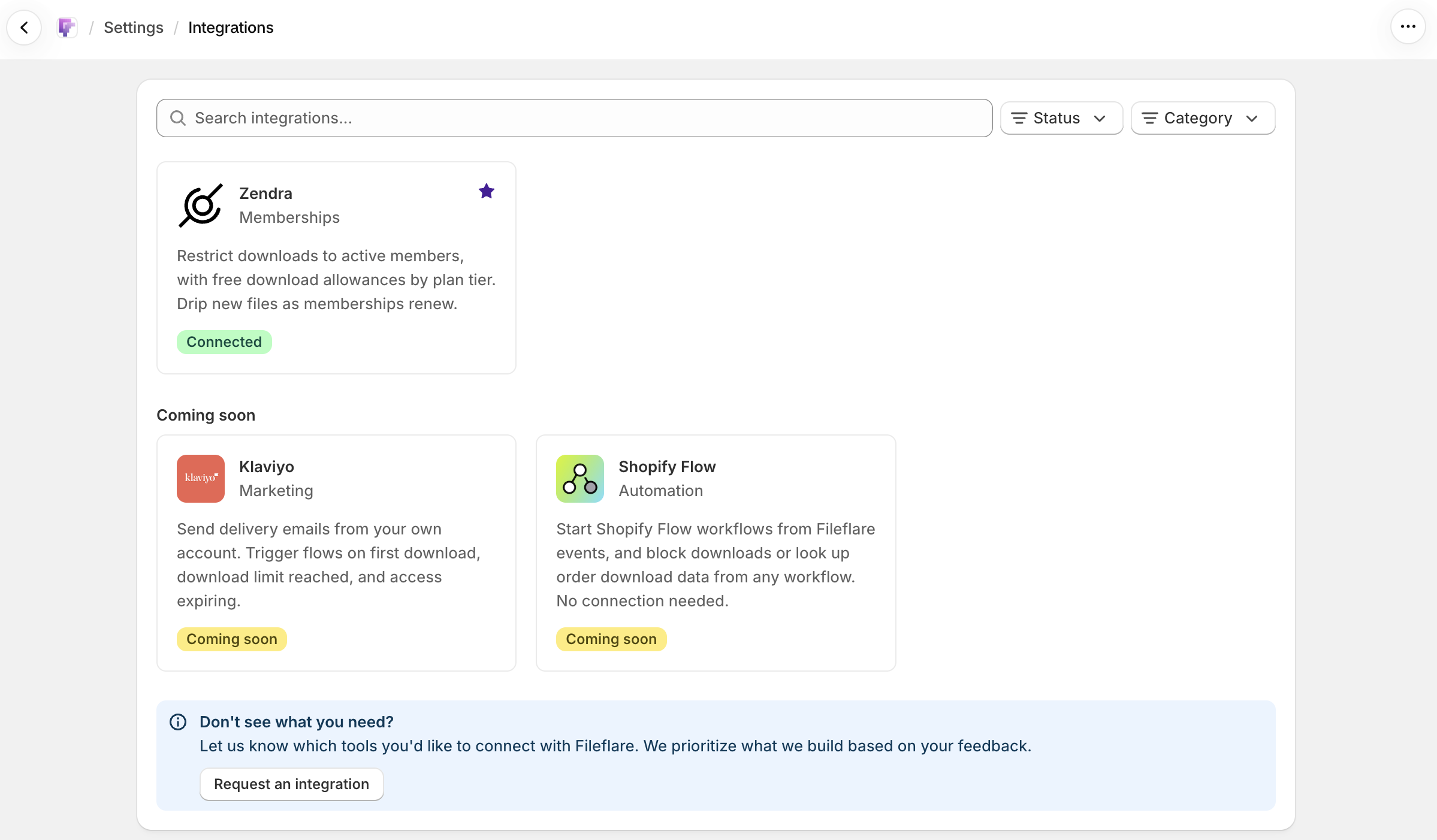
Once you’re connected, the Fileflare page in Zendra shows the connection date and a quick rundown of the two download perk types. Over in Fileflare, Settings » Integrations shows Zendra as Connected.

Add file perks to a membership plan
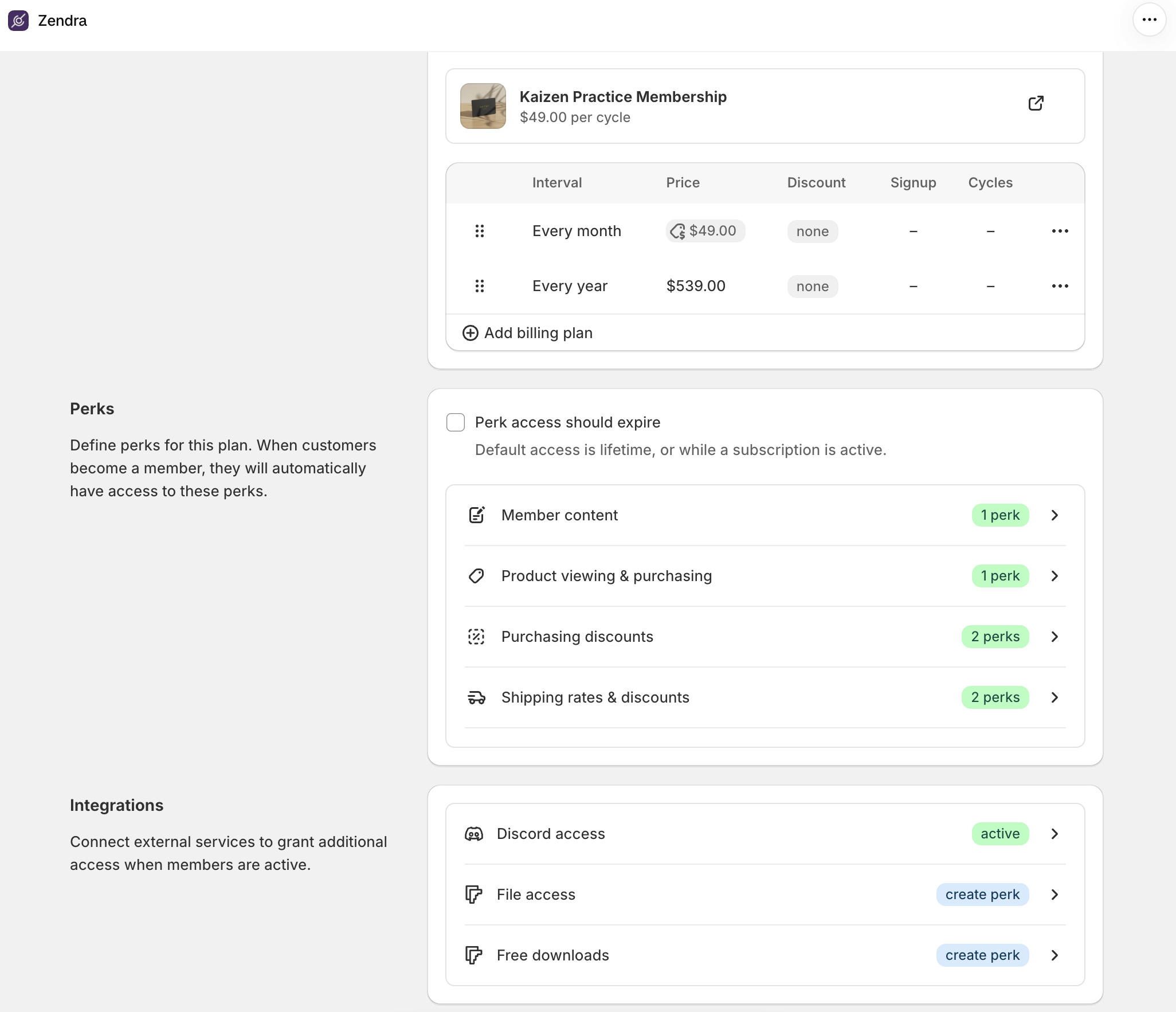
Each membership plan in Zendra now has two Fileflare rows under Integrations: File access and Free downloads. Add one, or both, to any plan.
Give members a library with File Access
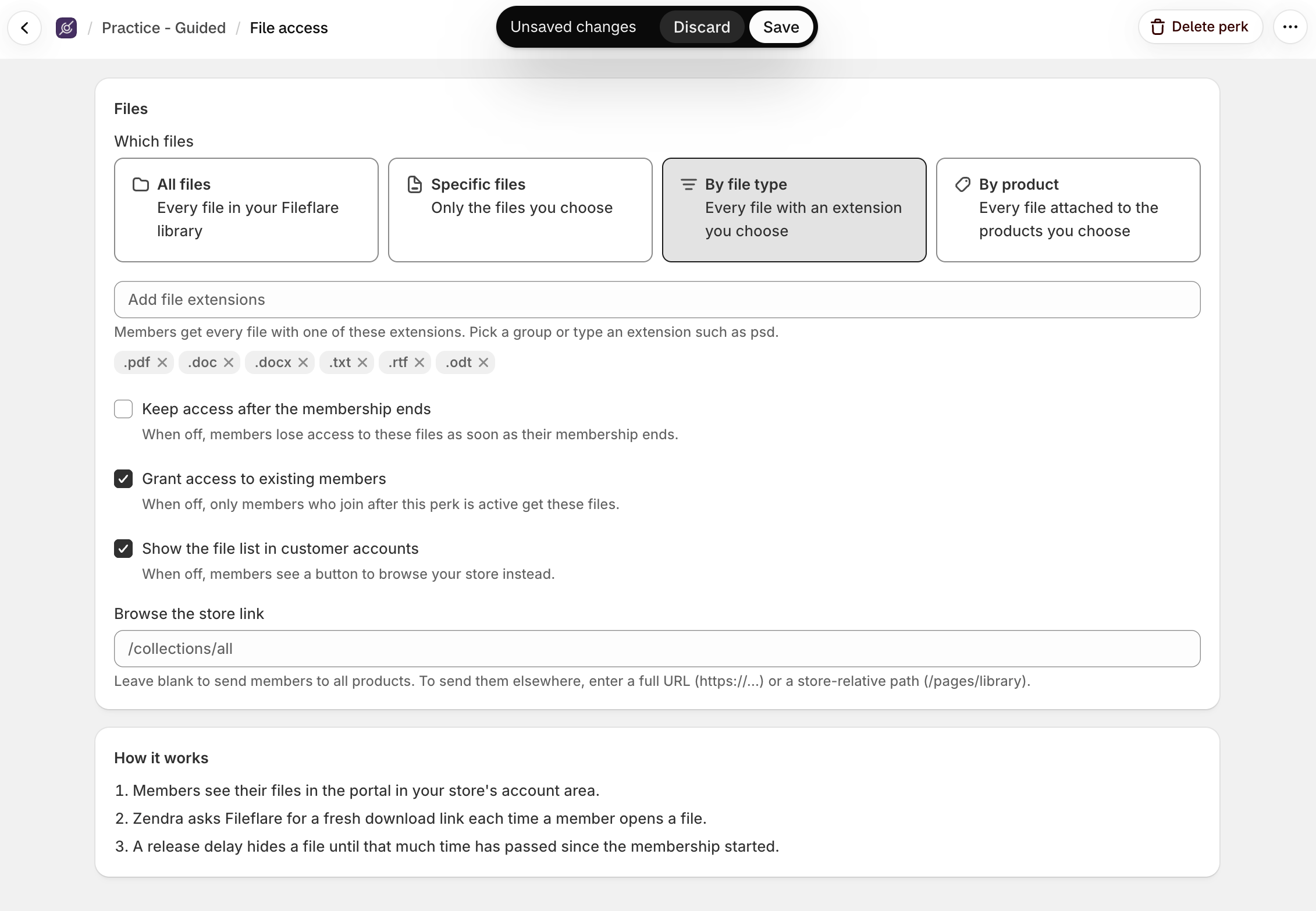
File Access is the straightforward one: members get the files you pick, for as long as their membership is active. You decide which files count:
- All files: every file in your Fileflare library.
- Specific files: only the ones you pick.
- By file type: every file with the extensions you choose, like
.pdfand.epubfor a reading club, or.wavand.mp3for a beat library. - By product: every file attached to the products you choose, which is handy when your catalog is already organized into products.
Release files on a schedule
When you pick specific files, you can also set a release delay on each one: the file becomes available a number of days or weeks after someone joins. If you give the starter kit no delay and the advanced module a four-week delay, you’ve built a drip, and every member moves through it on their own schedule. Files that haven’t unlocked yet show up for members as “Coming soon,” so there’s something to look forward to.
Decide what happens to access
A few options shape how access behaves:
- Keep access after the membership ends: off for a new perk, so files go away when the membership does. Turn it on if you’d rather former members keep what they had (nice for a “buy in, keep the back catalog” offer).
- Grant access to existing members: when on, people who are already members get the files too, not just new joiners.
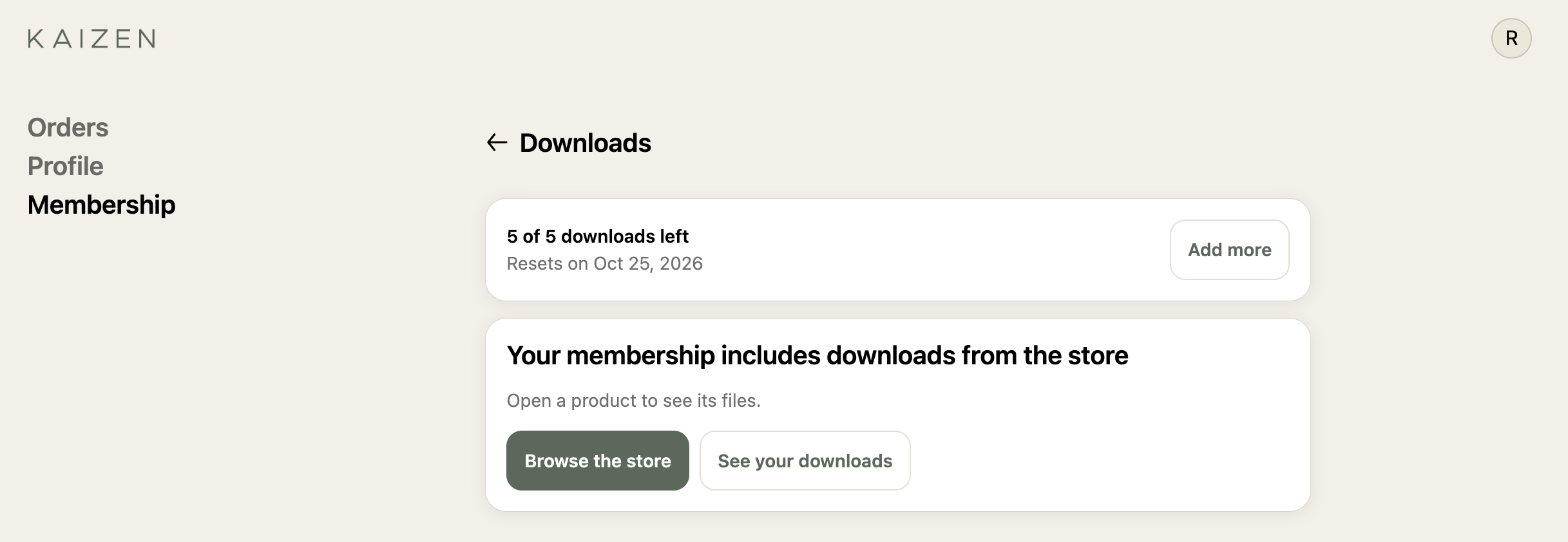
- Show the file list in customer accounts: when off, members see a button to browse your store instead of a file list, which suits a big whole-library perk where a list of hundreds of files isn’t the friendliest view.
Let members choose with Free Downloads
Free Downloads is for catalogs where members should pick what they want rather than get everything. Give members a set number of files (say, five), then choose which files are on the menu using the same four options as File Access. If you’d rather not cap it, turn off the limit and members can pick as many files as they like.
If you grew up on mail-order CD clubs, you already know this model! The difference is that members only get what they pick — no penny deal and no card to mail back.
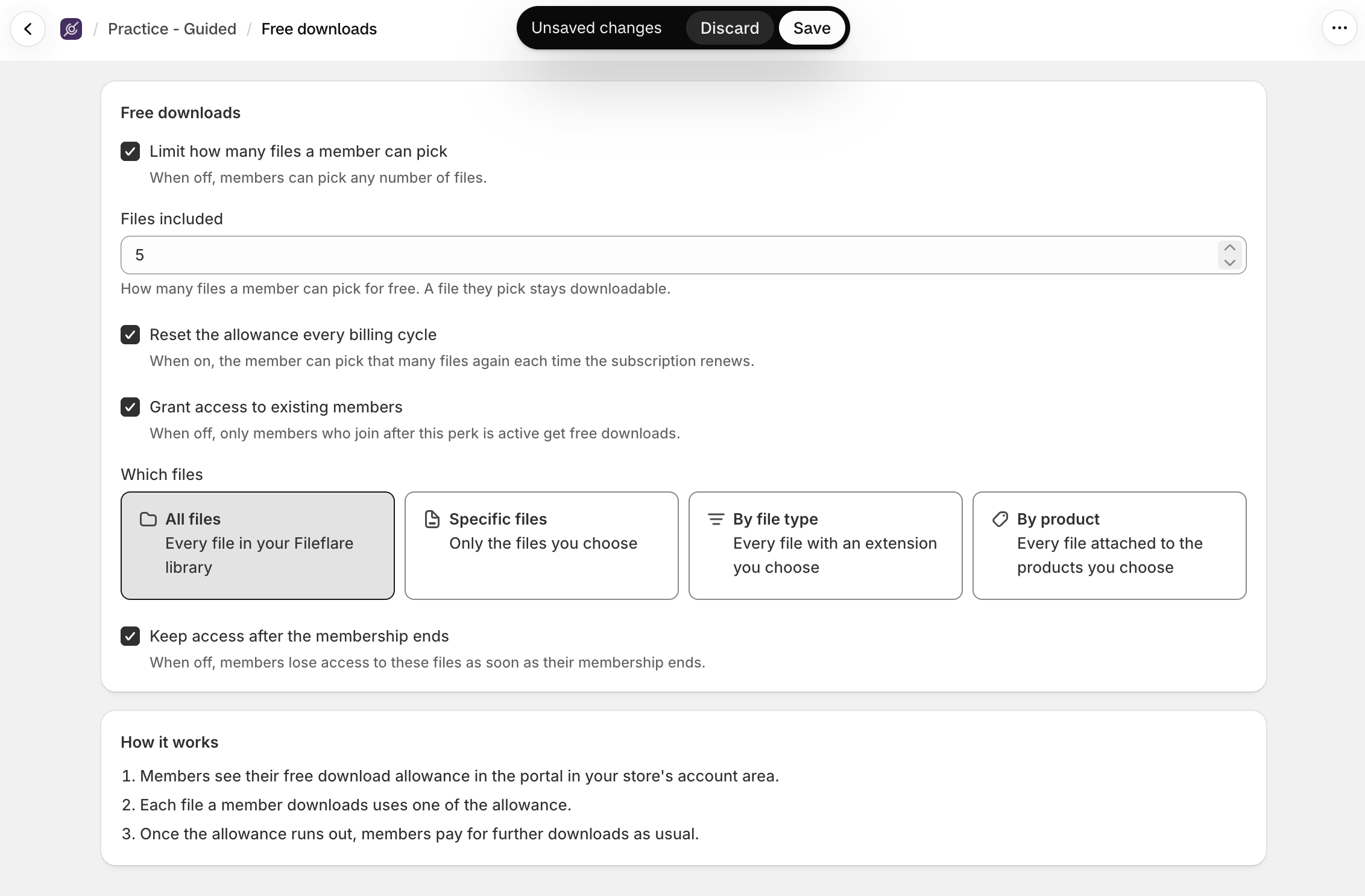
On subscription plans, you can turn on Reset the allowance every billing cycle, and members get a fresh set of picks each time their subscription renews. That’s the part that keeps a sample pack club or a template subscription feeling like a good deal month after month. Unused picks don’t carry over to the next cycle.
Picks also follow the Keep access after the membership ends setting: with it off, last cycle’s picks are removed at renewal, so members grab their files during the cycle they pick them in. Turn it on if members should keep everything they’ve ever picked. One-time membership plans get a single allowance that doesn’t reset.
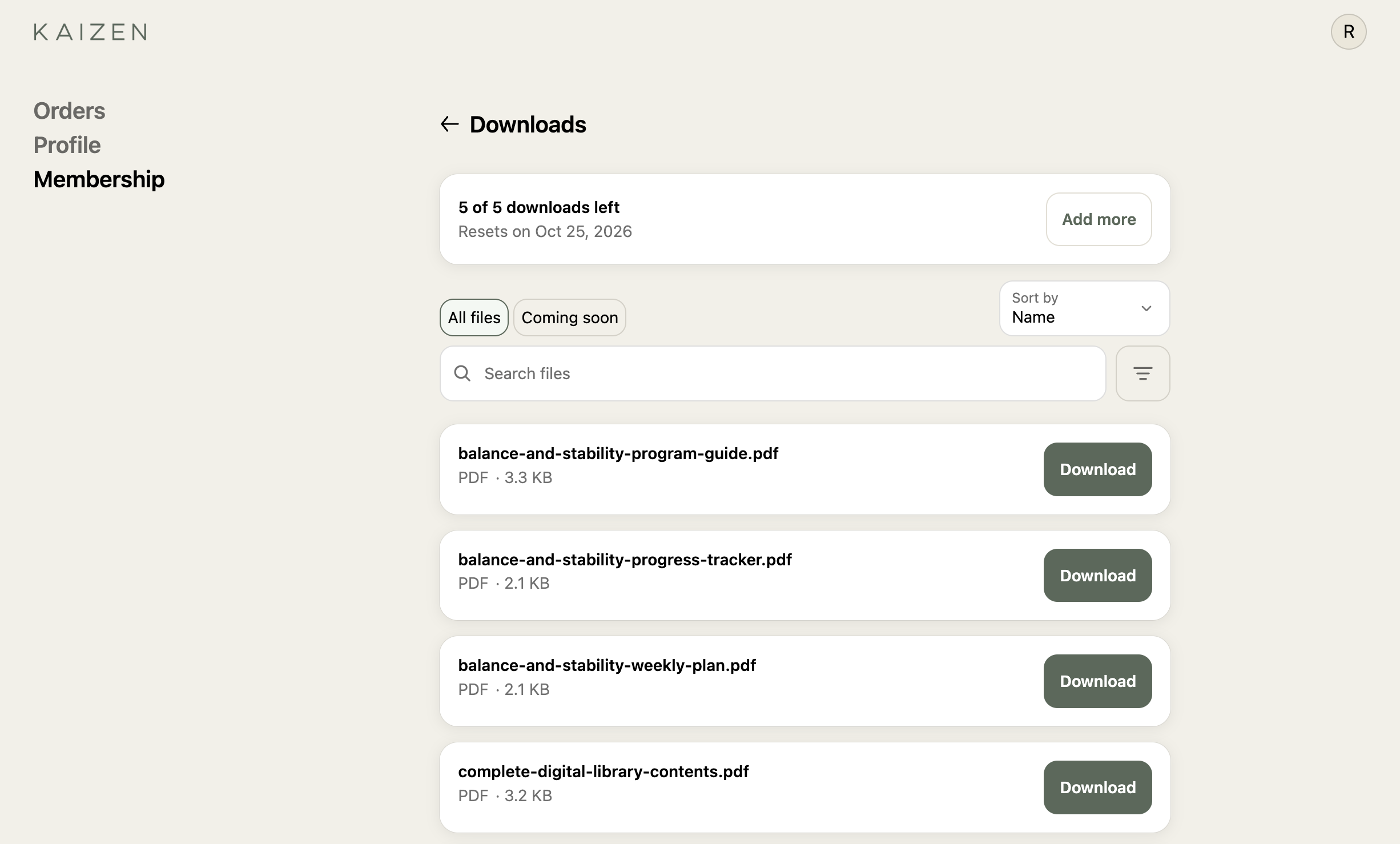
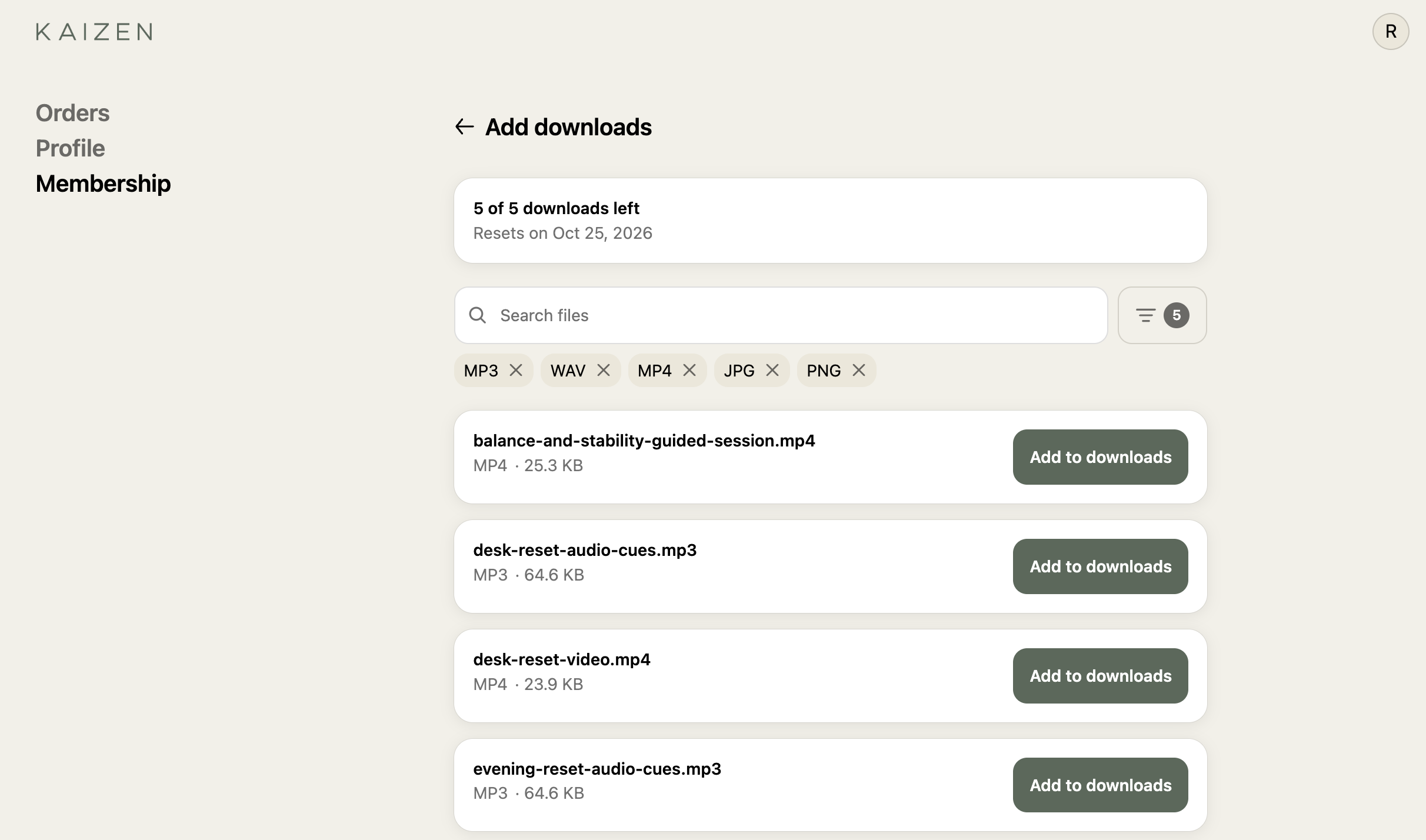
For members, picking is simple. They open Add more from their Downloads page, search or filter by file type, and choose Add to downloads. Zendra confirms before it spends one of their picks, and the Downloads page always shows how many are left and when the count resets. Once the allowance runs out, members can still buy anything else in your store the usual way.
If a plan has both perks, Free Downloads won’t offer files the member already gets through File Access, so nobody spends a pick on something they already have.
Open everything from one Downloads page
Members find their files in the Zendra member portal, inside your store’s customer account. On any Zendra plan, their perks include a Downloads page listing every file they can access, with search, sorting, a file type filter, and a “Coming soon” view for files on a release delay. Free Downloads members see their remaining allowance and reset date at the top.

The member portal runs on Shopify’s customer accounts, with Zendra’s member portal block added in the customer account editor. If you’ve already set up Zendra, the portal’s ready; if not, the member portal guide walks through it.
Fileflare still delivers every file
Zendra decides who gets what, but every download still comes from Fileflare. When a member opens a file, Zendra asks Fileflare for a fresh download link right then, so every download starts from a link made for that moment.
Those links are personal, too. A member download only opens for that member, logged into their own customer account. If someone forwards a link, the person on the other end is asked to log in, and a different account can’t use it. Members don’t have to think about any of this, since they’re already logged in when they’re browsing their membership.
The rest of your Fileflare setup carries over. The download limits you’ve set in Fileflare apply to member downloads as well, and member downloads count toward the download stats on your Fileflare dashboard, so a popular perk shows up in the same numbers as your bestsellers.
Build a membership around your catalog
The two perk types cover a lot of ground. A few setups we’d try:
- A sample pack club. Free Downloads with five picks per cycle from every
.wavand.zipin the library, reset monthly. Members build their own kit, and new packs you upload are on the menu the day they land. - A preset or template vault. File Access to every file attached to your preset products, with the file list off and a browse-the-store button, plus a higher tier that keeps access after cancellation.
- A course or program, released over time. File Access to specific files with release delays: the workbook on day one, a new module every week. Members who join in March start at week one, same as everyone else.
For the membership side of these (tiers, pricing, and what else to put in a plan), see Zendra’s article on download perks.
Turn it on
Open Zendra, connect Fileflare under Settings » Integrations, and add a File Access or Free Downloads perk to a plan. The Fileflare and Zendra setup guide walks through each step.
Already selling with Fileflare but not running memberships yet? You can find Zendra on the Shopify App Store. And if you’re new to both, Fileflare is on the Shopify App Store, too.