
A hybrid product — something that ships partly as a box and partly as a file — is one of the most underrated moves a Shopify merchant can make.
Combination products tend to raise average order value, offering a highly relevant upsell when folks may not have purchased the items individually. They can also give buyers a reason to pay you instead of a marketplace — a distinctive bundle is harder for buyers to price-shop against a marketplace listing. A bundle can also feel meaningfully more valuable than either piece alone.
Fileflare has hundreds of merchants who sell physical + digital bundles already: Record stores who sell a vinyl with the digital download; home cooks offering a cookbook with private video tutorials; designers offering a t-shirt with the source design files; coaches selling a workshop kit with the recorded course.
The reason most merchants don’t do this isn’t that the idea is bad — it’s that Shopify has no out-of-the-box digital downloads support. This post walks the whole pattern: when bundling makes sense, the three structural choices for setting it up, the variant-level mechanics that make hybrid orders not painful, and the realistic edge cases you’ll hit on fulfillment.
When physical + digital bundles work
Most “bundle” advice is generic: bundle anything products » customers love deals » AOV goes up. That’s not how it plays out in practice. Hybrid bundles work when the two halves are genuinely complementary, not when they’re stapled together for the price tag.
There are a few patterns we see work across different types of merchants:
- The original + the artifact. You sell a thing, and the file is the keepsake version of the same thing: Vinyl + lossless audio download. Live performance recording + the studio cut. Photograph print + the high-res file. The physical is the object, and the digital is the use.
- The thing + the instructions. A cookbook with private video tutorials for the tricky recipes; a sewing pattern kit (fabric, notions) with the printable pattern and a video walkthrough; a musical instrument with onboarding lessons. The physical side of the bundle is what they bought, but the digital complement is how the customer actually succeeds at using it.
- The product + the source. A bundle where the physical product is an example of the digital in use: a T-shirt with the design’s source files for personal use; a piece of art with the high-res file for printing; a typeface specimen book with the font files. The physical part is the proof; the digital product is the asset.
- The kit + the course. Oftentimes, this is a workshop kit (supplies, materials) with the recorded video course that teaches it. This format is especially strong for craft, art, and skill-based products. The physical is the materials; the digital is the curriculum.
This bundle type will fall flat if you try pairing unrelated digital filler with a physical product to justify a markup. Buyers see through it, and the reviews start mentioning it. If you can’t say in one sentence why the two halves belong together, the bundle isn’t ready.
The bundle’s three structural choices
There are three ways to model a hybrid bundle in Shopify, and the choice changes everything downstream: fulfillment, reporting, and how returns work.
1. One product, both deliverables attached
The first is the simplest structure: list a single Shopify product (the bundle) with both a physical SKU and digital files attached. The customer adds one thing to cart, checks out once, gets the box and the file from the same order.
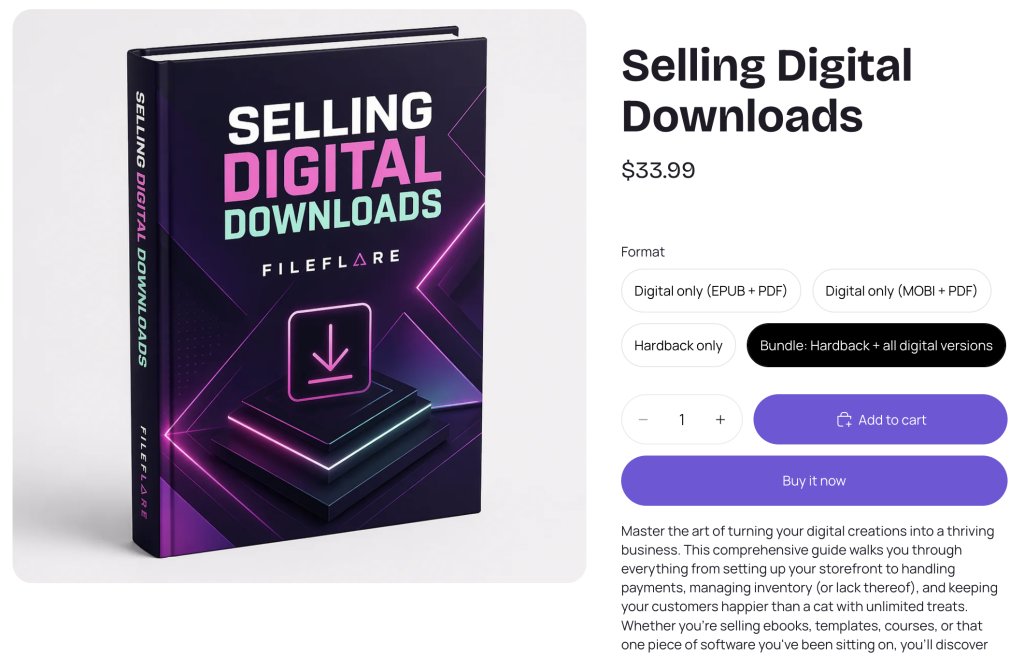
This is what most merchants want, and it’s also where Shopify’s first-party digital downloads app makes things harder than they need to be. Shopify’s free Digital Products app attaches directly to products or variants, but has no asset manager — so you can’t re-use the digital file across variants easily (e.g. the standalone digital file + the bundle version). This might be fine for a single-SKU bundle, but it will be painful once you offer a digital file across multiple variants or products.
This is one of the differences worth being specific about: with Fileflare you can attach assets to multiple variants, so the “Black vinyl” variant can have a different download than the “Splatter vinyl” variant if you want, or both can easily include the same lossless audio.
Worth a quick note: if multiple variants offer the same physical item, inventory tracking can get hairy. Worth considering separate listings or a proper bundle if your store does high volume, to avoid difficulties in inventory tracking.
2. The bundle as a Shopify Bundle product
Shopify’s Bundles feature (available on Plus and via the native Bundles API on standard plans) lets you create a parent product whose components are other products in your catalog. The bundle is the parent; the physical and digital components are children that exist as their own SKUs.
This is the right structure if:
- You also sell the physical and the digital separately at full price
- You want the bundle to inherit inventory tracking from the physical SKU automatically
- You’re managing dozens of bundles and want to keep components canonical
It’s overkill for a one-off bundle product, but can be a life-saver if you are managing a lot of inventory across bundles or SKUs.
3. Cart-level companion (the “free with purchase” pattern)
The third pattern doesn’t use bundles at all. The physical product is its own SKU; the digital companion gets added to the order via a free-with-purchase rule, a post-purchase upsell, or a Shopify Flow automation that grants download access based on the physical product being purchased.
This works well when:
- The digital piece is a perk, not a co-equal half of the offer
- You want flexibility to swap the digital companion without touching the physical SKU
- You want to test whether the digital companion actually drives conversion (you can A/B by toggling the rule)
The downside is that the customer’s view of the order is now two things instead of one, which can confuse less-savvy buyers (“why is there a $0 line item?”).
For most merchants starting out, structure 1 is the right default: one product, both deliverables attached. Move to structures 2 or 3 only when you have a specific reason to.
The variant-level mechanics
The single most useful thing about setting hybrid bundles up well is variant-level file attachment. Here’s the concrete example.
You’re a musician selling a new album. You offer three pressings:
- Black vinyl (standard)
- Translucent purple vinyl (limited)
- Test pressing (very limited, signed)
All three include the same lossless digital download of the album. The test pressing also includes a behind-the-scenes PDF zine that didn’t go to print.
With variant-level attachment, you set up one product (“Album, on vinyl”) with three variants. You attach the lossless download files to all three variants (or the parent). You attach the zine PDF to only the test pressing variant. When an order comes in, Fileflare reads the variant the customer bought and delivers exactly the files for that variant — black gets the audio, test pressing gets the audio plus the zine.
Variant-level attachment and asset re-use make the “physical + digital bundle” pattern feel native instead of bolted on. Sky Pilot attaches at the product level; the Shopify free app doesn’t allow asset re-use; Fileflare attaches at the variant level with a library, which is why every example above “just works” without weird workarounds.

Fulfillment for hybrid physical + digital bundles
A hybrid order has two fulfillment paths that need to behave correctly without you babysitting them.
- Physical line items flow through Shopify’s normal fulfillment process — shipping label, tracking number, fulfillment notification, the usual. If you have multiple physical SKUs in the bundle, Shopify treats them as separate line items that you fulfill together when the box ships.
- Digital line items should auto-fulfill the moment the order is placed (or the moment payment clears, for high-fraud-risk orders). The customer gets a download email immediately, an account on your store with the files attached, and a download link on the thank-you page. They don’t wait for the physical to ship to access the digital — that’s the whole point of the hybrid.
By default, an order with mixed line items shows as “Unfulfilled” until everything is fulfilled. If your digital line item never gets marked fulfilled, the order sits in your unfulfilled queue forever, the customer never gets a clean confirmation, and you start mistrusting your own status dashboard.
Fileflare automatically marks digital line items as fulfilled the moment the file is delivered, so the order moves through the workflow correctly — physical line items remain unfulfilled until you ship them, and the order shows as fully fulfilled when both halves are done. This sounds like a small detail, but it’s the thing that separates “digital downloads on Shopify work” from “digital downloads on Shopify are a constant source of background friction.”
Pricing the bundle
Bundle pricing is its own essay, but the short version for hybrid bundles is to price them as a unique product.
- Don’t price the bundle as the sum of the parts minus a small discount. Buyers can do the math, and the bundle reads as a deal-rounded-up. Price the bundle as its own thing — a number that signals “this is the version most people buy.”
- Anchor against the standalone physical price. If the physical alone is $40, the bundle at $45 with a “+ digital download included” reads as a $5 upgrade, not a $5 discount. The framing matters more than the math.
- Make the standalone digital available too, but a bit awkwardly. If you sell the standalone digital at $15 and the standalone physical at $40 and the bundle at $45, the bundle is the obvious pick. If you sell only the bundle, you leave money on the table from buyers who only want the file.
- Reserve limited-edition framing for one variant. A “Limited test pressing + extras” variant at a $25 premium captures buyers who want the artifact version. Don’t make every variant limited, or the scarcity stops meaning anything.
Common pitfalls of hybrid bundling
We see a few specific things go wrong when merchants set this up for the first time — here’s what you should double-check in setting up your bundle.
- Disable “This is a physical product” on the digital-only variants (in structure 3). Otherwise, Shopify prompts for shipping at checkout, the buyer gets confused, and you get a support ticket.
- Remember to enable “This is a physical product” on the bundle parent (in structure 1). If you don’t enable this, Shopify skips shipping at checkout, the customer pays, then never gets the box — and you eat the refund and the chargeback fee.
- Avoid putting the digital file behind the physical fulfillment. If your delivery email only goes out when you mark the order fulfilled (i.e., when the box ships), the customer waits 3–5 days for the file they paid for. Auto-fulfill the digital line items at order placement; ship the physical on your normal schedule.
- Consider a different filename for limited-edition framing. If your test-pressing buyers download
album-master.wavand your standard-vinyl buyers also downloadalbum-master.wav, the limited buyers feel less exclusive. If you’re selling exclusivity, consider a different variant, filename, and metadata. - Don’t skip fraud handling. A bundle that includes a high-value digital file (course access, source files, lossless audio) is a fraud target. Auto-blocking medium- and high-risk orders at the file-delivery layer (so the physical item can still ship after manual review but the file doesn’t get handed out) is the right default.
Examples of bundles that work
We often see a few real patterns that merchants run successfully on Fileflare-powered stores.
- Vinyl + lossless download + liner notes PDF: Album drops where the digital product is included free with every physical pressing.
- Cookbook + private video walkthroughs of the hardest recipes: The physical book ships, while the videos live on the customer’s account on your store, indefinitely.
- Printed artwork + signed certificate + high-res digital file: The buyer hangs the print and gets the file for backup or alternate-size printing.
- This can also come with a copyright license file or commercial use license.
- Workshop kit + recorded course: Course materials are shipped, and the course lives on the buyer’s account — and updates if you re-record.
- Sewing pattern kit + printable pattern PDF + sizing video: The fabric and notions ship to the customer; the pattern is downloadable so they can reprint if they botch a cut.
- Limited zine + extended digital edition: Physical zine has 32 pages; the digital edition has 64. You can offer two different deliverables in one cohesive offer, while saving money on shipping weight and printing cost.
The steel thread across each bundle type is complementary value. Each component is independently valuable, and the combination is meaningfully better than either alone.
Setting up physical + digital bundles
To set up these bundles in your Shopify store, you need to create a product and then attach downloads to it, which are delivered at purchase.
- Create the product in Shopify with the physical attributes like title, images, description, price. Enable “This is a physical product” so Shopify collects shipping.
- Add variants if needed for different versions of the bundle (color, edition, format).
- Install Fileflare from the Shopify App Store if you haven’t already.
- Upload your digital files to Fileflare (PDFs, audio, video — whatever ships in the digital half).
- Attach files to variants rather than to the product as a whole. This is where the structure pays off — different variants can have different file sets.
- Test a real order. Place a test purchase, verify the physical fulfillment flow works, the digital delivery email arrives, and the download page on your store shows the right files for the variant.
- Decide on fraud handling. For high-value bundles, turn on auto-blocking of medium- and high-risk orders at the file-delivery layer.
The full walkthrough lives in our beginner’s guide to Fileflare and the variant-level attachment docs. If you’re migrating from another app and want to bring buyers’ download access with them, the historical order import covers that path.
Bundles are one of those moves that look like a small product decision and end up reshaping how the store works. When they’re structured well, they raise AOV and make the rest of your catalog fee more thoughtful. Done badly, they’re a fulfillment headache that lives in your support inbox.