
Sell links to externally hosted files (Dropbox, Google Drive, OneDrive, WeTransfer) directly through your Shopify checkout. Add the link as a URL asset in Fileflare, attach to a Shopify product, and customers receive a Fileflare-domain redirect link at checkout — your hosting service stays the source of truth, but customers see your store’s domain in the link.
Available on the Basic plan and higher. URL assets don’t count against your Fileflare storage quota; they live on your hosting service. Watch out for bandwidth limits on free Dropbox / Drive accounts. WeTransfer Professional has unlimited bandwidth — best fit for large-volume sales.
When you’d use this
- Your files already live on Dropbox, Drive, or another cloud service and you don’t want to re-upload to Fileflare.
- You’re delivering very large files where dedicated cloud storage is cheaper than Fileflare’s tiers.
- You’re delivering access to a third-party platform (a course site, a template gallery, etc.).
- You want to mix uploaded files and external URLs in the same store.
How URL assets work
In Fileflare, an asset can be either an uploaded file (Fileflare hosts the bytes) or a URL asset (Fileflare delivers a redirect link pointing to your URL). Customers always see a Fileflare-domain link; clicking it triggers a redirect to your hosted URL. Limits and expiration apply to the redirect, but once the customer reaches your hosting service, anything happening there is outside Fileflare’s control.
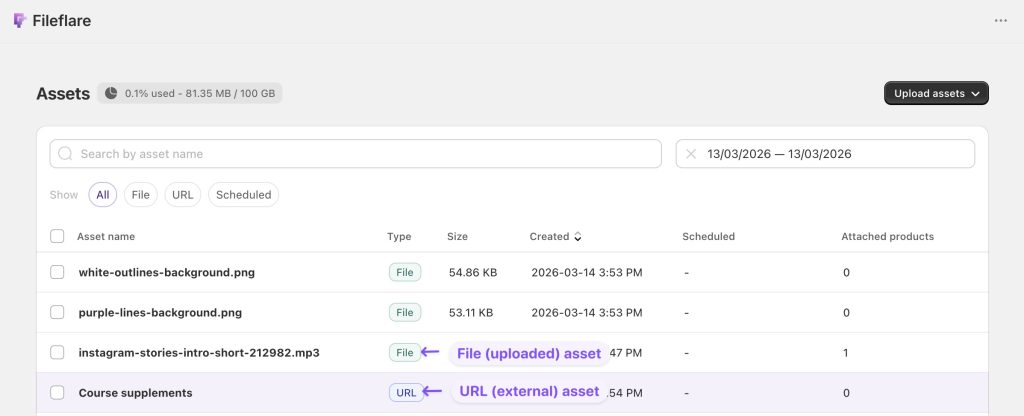
Setup walkthrough
1. Get your file’s public URL
Upload your file to your hosting service and grab the share/download link. Specifics per service:
- Dropbox: upload, click the file → Copy link. Watch the Dropbox bandwidth limits.
- Google Drive: upload, right-click → Get link. Set sharing to “anyone with the link can view”.
- OneDrive: upload, click Share → Copy link.
- WeTransfer: upload, click Get a link. Don’t set an expiry on the WeTransfer side — control expiry from Fileflare’s order settings instead. WeTransfer Professional gives unlimited bandwidth.
2. Add it as a URL asset in Fileflare
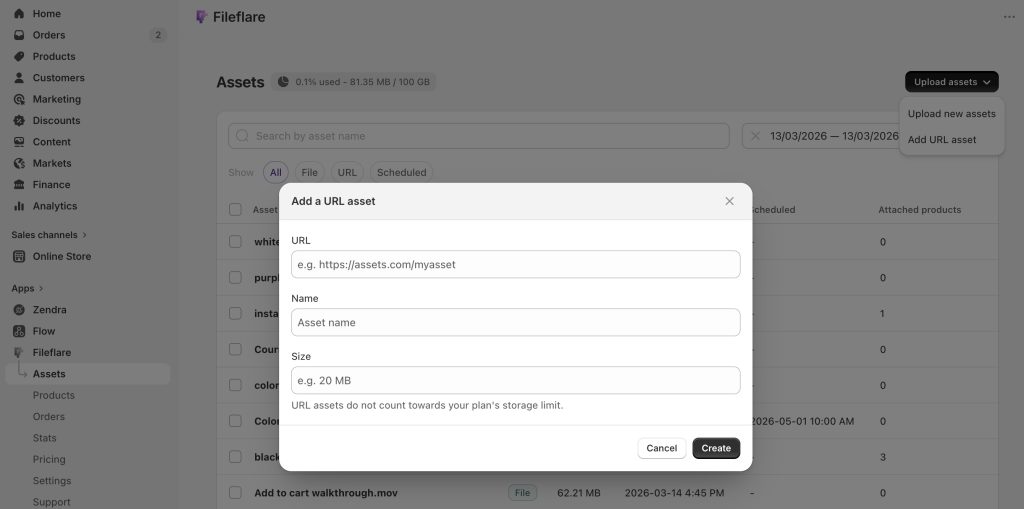
- Go to Assets » Add assets.
- Choose the URL option.
- Enter the asset name (what customers see), the URL (your hosted link), and the file size (used for display).
- Save.
3. Attach to a Shopify product
Select the asset and use Shopify’s product picker to attach it to one or more products, up to 50 per action. For variant-specific attachment, open the product in Fileflare and attach the asset to the relevant variant. Done — the URL is now part of that product’s delivery flow.
Bulk option
If you have hundreds of URLs, the bulk CSV import is much faster than adding one at a time.
Customer experience
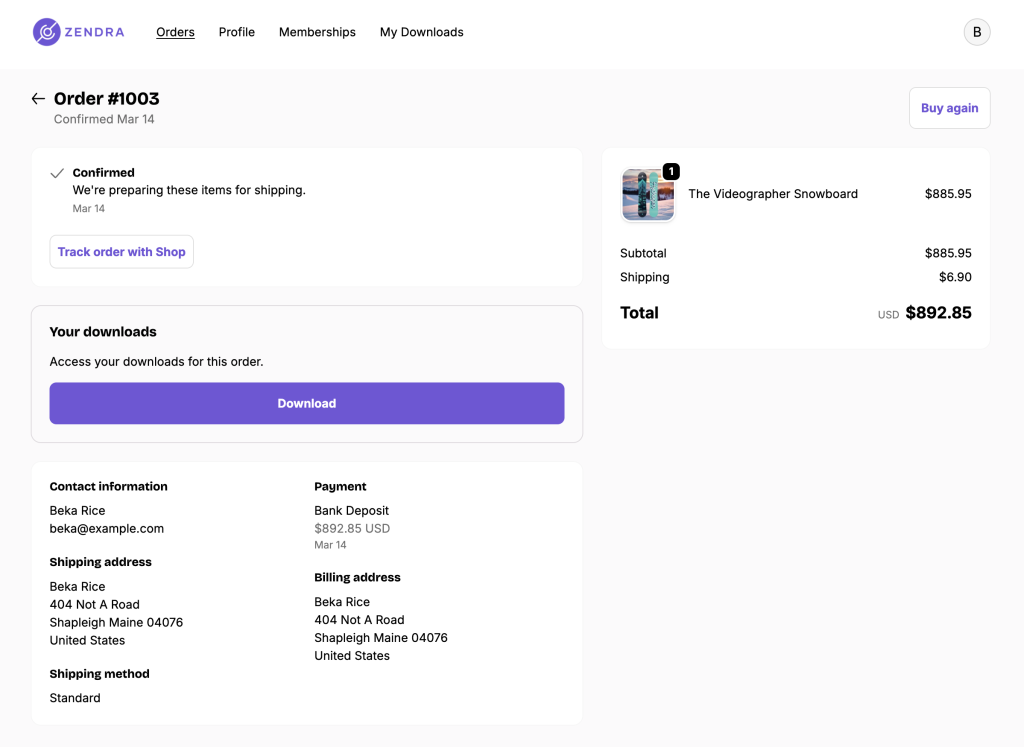
Customers see a Fileflare-domain download link in their email, on the thank-you page, and in their customer account. They click → Fileflare resolves the order/asset, applies any limits, then redirects to your URL. From there, the hosting service takes over (Dropbox preview, Drive download dialog, etc.).
Common issues
- Customer hits a “permission denied” or login wall — your hosted URL isn’t public. Reshare with anyone-with-the-link permissions and update the asset URL in Fileflare if it changes.
- File downloads as a preview, not the actual file — Google Drive does this with documents. Use the direct-download URL format (
drive.google.com/uc?export=download&id=...) instead of the share URL. - Bandwidth exceeded on Dropbox / Drive — these services have monthly bandwidth caps on free and basic plans. If you’re getting “too many requests” errors, upgrade your hosting plan or migrate to a service with no cap (WeTransfer Professional, your own S3, Cloudflare R2).
- I want PDF stamping on URL assets — not possible. Stamping requires Fileflare to host the file. Upload to Fileflare instead.
- I want to update the URL — see Update files. Go to the URL asset, click Edit, paste the new URL.