
Show download links on Shopify’s thank-you page (the page customers see right after checkout) and the Order Status page (the page customers reach from order emails). Customers click and download — no waiting for the email, no logging into customer accounts. Most stores enable this even if they also use email delivery, as a faster path.
Available on the Basic plan and higher. Setup is via Shopify’s checkout customizer (no theme code). Works with Shopify’s checkout extensibility, which all stores should now be on.
When you’d use this
- Want customers to access downloads instantly after paying, without waiting for an email.
- Email deliverability has been spotty and you want a backup access surface.
- Customers frequently re-share the order status URL (e.g., for re-downloading on another device) and you want the page to support that.
- Pairs naturally with the order confirmation email integration.
How to enable
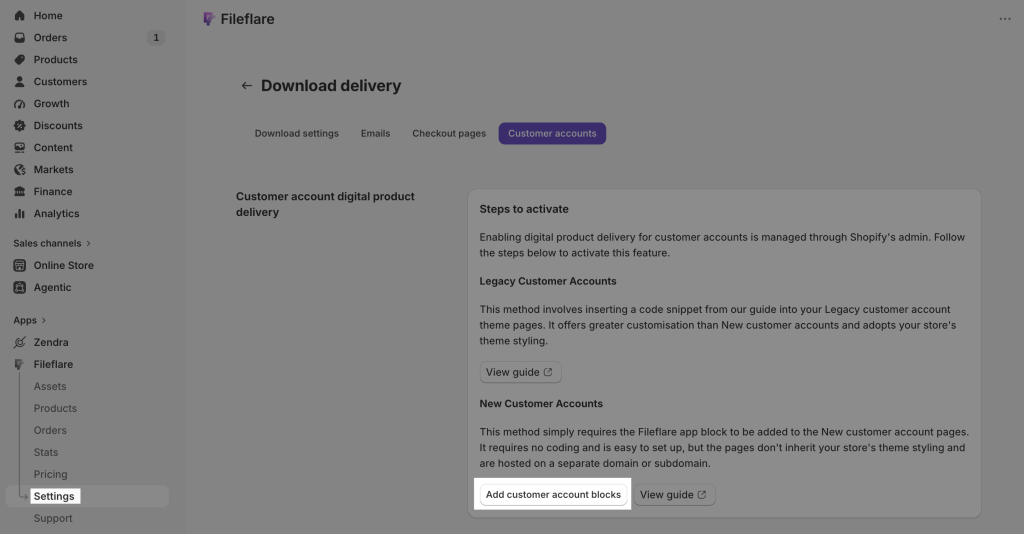
- Shopify admin → Settings → Customer accounts.
- Click Customize, then Customize again on your active configuration.
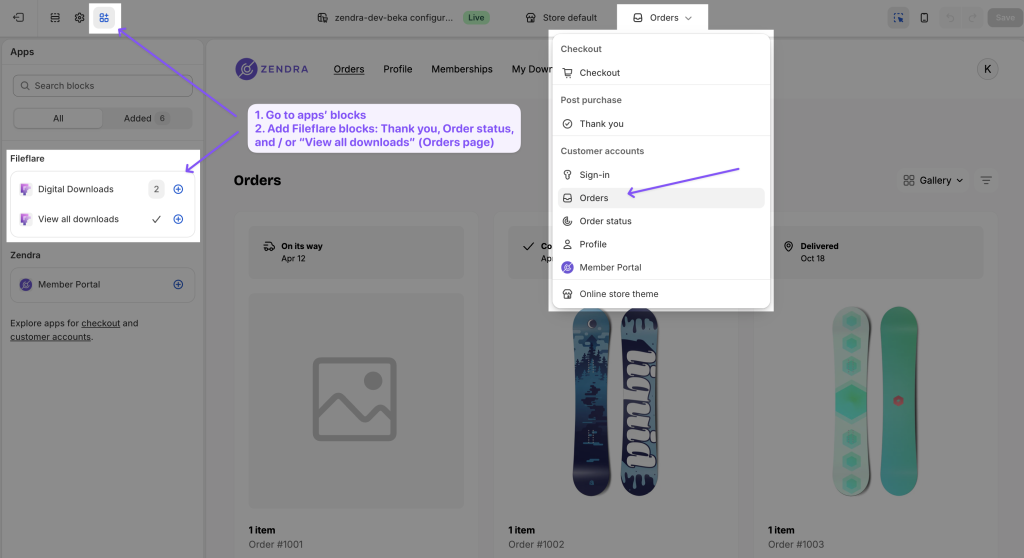
- Use the page selector at the top to switch between Thank you, Orders, and Order status. Each gets its own Fileflare block.
- Click Apps in the top-left settings, then add the Fileflare app block on each page.
- Save.
Choose the display style
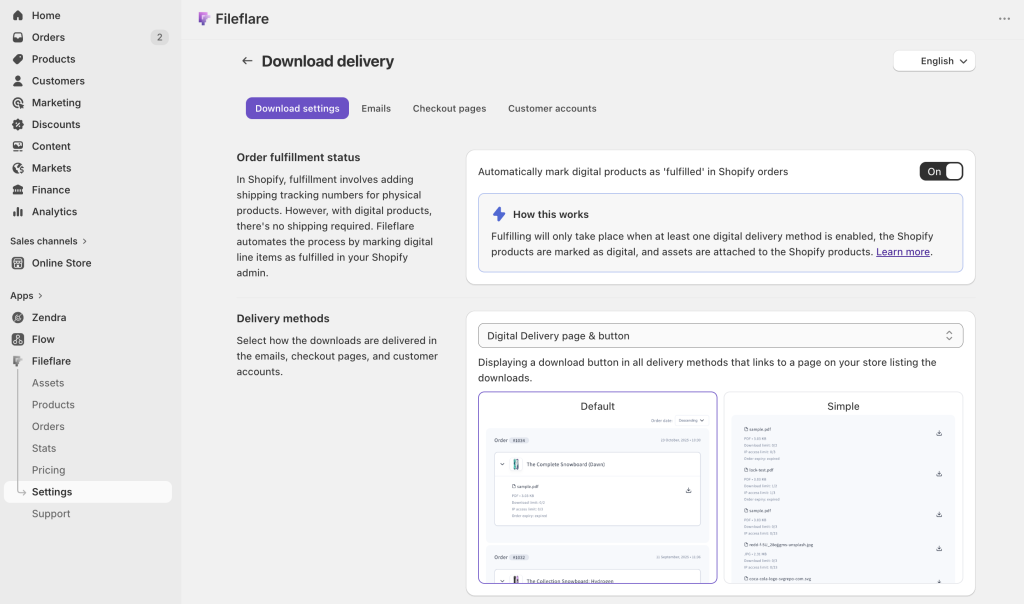
In Fileflare → Settings → Download delivery → Download settings, pick how the box renders on these pages:
- Default (button + page): shows a button on the thank-you page that opens a Fileflare download page listing each file. Supports streaming, limit counters, and full styling.
- Simple (bullet list): shows a list of direct download links inline. No streaming, no limit counter, but one less click.
What customers see
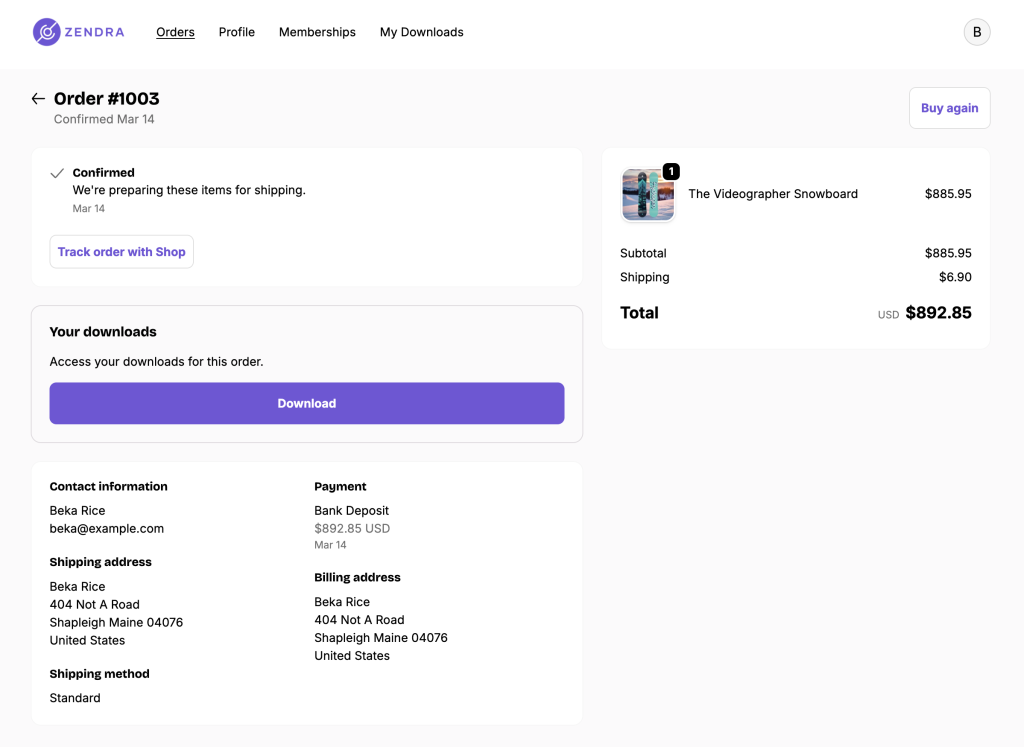
- On the thank-you page (right after checkout): a download button or list, depending on your display style.
- On the Order Status page (linked from order emails): same thing.
- On the Orders page in customer accounts: same thing (if you’ve enabled customer account downloads too).
Common issues
- Block isn’t appearing on the page — confirm you added it via the right page selector (Thank you vs Orders vs Order status — they’re separate). Each page gets its own block.
- Block appears but no downloads show — the order needs to be in Paid status and the products on the order need assets attached in Fileflare.
- Customer can’t find the download box on the thank-you page — depending on your checkout extensibility config, the block placement matters. Drag it to a more prominent spot in the customizer.
- Looks broken on mobile — Shopify’s checkout extensibility renders responsive by default, but if you’ve added other custom blocks, layout conflicts can happen. Test the block in isolation.