
The PDF is the workhorse format of digital products: easy to make, universal to read, and reliable to deliver. If you have something worth charging for, PDF is usually the fastest path from “I have expertise” to “I have a sellable product.”
This post covers five formats that reliably turn PDFs into revenue, with notes on pricing, platform, and the friction worth anticipating for each. None of these are speculative — all five are categories with thousands of successful sellers across Etsy, Gumroad, Shopify, and standalone sites.
1. Ebooks (long-form content)
The default category. You have specialized knowledge — a skill, a craft, a niche — and you package it as a 50–300 page PDF that readers consume end to end.
- What sells: Practical how-tos, domain-specific guides, memoirs with strong narrative, fiction that fits a niche genre (sci-fi novellas, romance, fantasy). Generic self-help struggles without an audience; specialized guides do well even with small audiences.
- Pricing: $5–$30 for most niches. Technical or specialized books (legal, medical, engineering guides) go up to $50–$100.
- Where to sell: Your own site (most control, highest margin), Gumroad (easy setup), Shopify with a digital downloads app (good for multi-product stores). Amazon KDP is an option but locks you to a 30–70% royalty and a platform that de-prioritizes PDF in favor of MOBI/EPUB.
The how to sell ebooks on Shopify post covers the setup end to end.

2. Workbooks and activity guides
Structured learning content with exercises, prompts, or worksheets the reader fills in. Different beast from an ebook — buyers expect to do something with it, not just read.
- What sells: Journals and planners, fitness programs with weekly logs, language-learning workbooks, business playbooks with templates, mindfulness/meditation prompts, kids’ activity books.
- Pricing: $10–$50. Workbooks often justify higher prices than ebooks because the structured exercises provide more perceived value.
- Key detail: Make the PDF fillable where it makes sense. Acrobat, Adobe Express, and PDFfiller all let you build form fields that buyers can type into. Fillable PDFs feel substantially more premium than static ones and reduce the “I should print this” friction.
- Pair with companion resources. A workbook bundled with a video intro, a spreadsheet template, or a community Discord invite sells for 2–3× the standalone price.
If you pair your resources with a relationship or community, check out our memberships app: Zendra. Our Discord sync feature makes this super seamless.
3. Checklists, cheat sheets, and reference guides
Fileflare has hundreds of growing sellers who distribute digital resources that do one thing: save buyers time. The reader uses them as a reference, not a read-through.
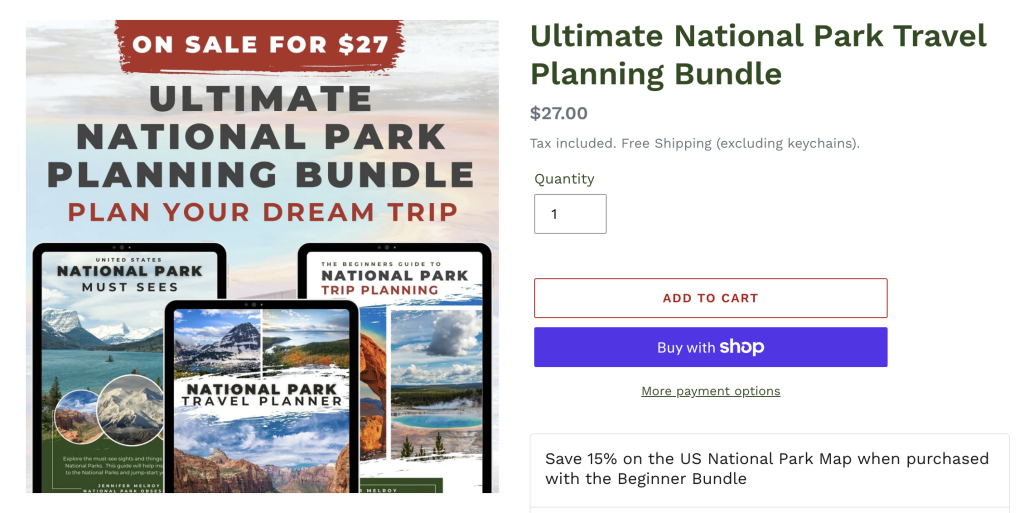
- What sells: SEO checklists, vacation or trip planning resources, interview prep cheat sheets, recipe reference cards, knitting pattern abbreviation charts, keyboard shortcut guides for specific software, decision trees for specialized decisions.
- Pricing: $5–$20 per document, $15–$50 for bundles of related ones.
- Format matters. Design these for scannability: big headings, clear bullets, generous white space, color-coded sections. A poorly-designed cheat sheet gets ignored; a well-designed one gets bookmarked and shared.
- Often used as a lead magnet rather than a paid product. If the cheat sheet is genuinely valuable and you have an email list or community to grow, giving it away for signups usually produces more long-term revenue than selling it for $9.
4. Templates & patterns
Shopify is great for template sellers, whether you offer documents the buyer fills in and uses. The value is in the structure, not just the content.
- What sells: Resume templates, cover-letter templates, legal agreements (NDA, freelance contract, SOW), invoice templates, proposal templates, social-media content calendars, pricing-page layouts, course outlines.
- Pricing: $10–$50 for individual templates, $50–$250 for comprehensive template bundles.
- The legal category is a special case. Templates for contracts, policies, and legal documents command higher prices ($50–$500) but require careful disclaimers. If you’re not a lawyer, say so clearly and specify the template is for informational purposes.
- Deliver the editable source when possible — a Word document alongside the PDF, or a Google Docs template link. Buyers expect to customize templates; a locked PDF template frustrates buyers when they can’t use it as expected.
5. Courses packaged as PDFs
Structured multi-module content delivered as a single PDF or a PDF bundle. The budget version of a video course.
- What sells: Any skill that teaches cleanly in written form — cooking, writing, design, business, specific software. Anything requiring hands-on watching (physical technique, dance, sports training) does better as video.
- Pricing: $50–$500. Higher than an ebook because the structured format and implied learning outcome command more.
- Pair with supplementary files. A cooking course with recipe cards and shopping lists, a writing course with prompt worksheets, a design course with Figma starter files.
- Alternatively, host as a video course alongside of your PDFs (Fileflare lets your customers stream video directly from their account area). Video commands higher prices and is harder to pirate, but takes substantially more effort to produce.
Choosing the right format for your content
How should you market what you’re selling to customers, so that you maximize your discoverability and merchandising?
- Has a narrative or extended argument? Ebook.
- Teaches a skill through practice? Workbook or course.
- Is a quick reference the reader returns to? Cheat sheet or checklist.
- Is a structure the reader fills in? Template.
- Is hands-on demonstration essential? Consider video alongside PDF.
Most successful sellers offer a range of downloads: a free cheat sheet for lead capture, a $29 workbook as the main product, and a $199 course bundle for committed buyers. Start with one and add as the first one proves out.
Pricing reality check
First-time PDF sellers almost universally price too low. This can backfire for a few reasons:
- Low prices signal low quality on unknown sellers. A $2 PDF reads as amateur; a $29 PDF reads as serious.
- Low prices compress the pricing ladder. If your cheat sheet is $5, your workbook can’t credibly be $50. Anchor higher from the start.
- Low prices make marketing math impossible. At $5 per sale with ~$2 ad spend per click and 2% conversion, you need 100 clicks to make $10 profit. At $29 per sale, 100 clicks make $290 profit. The cost of acquisition doesn’t scale with price, but revenue does.
If in doubt, price 2–3 times above what your instinct says, test it, then adjust.
Protection & file security
PDFs get pirated. The goal is deterring pirating and sharing, not an absolute lock (everything is crackable). Some standard deterrents include:
- Stamp every page with buyer details — name, email, order number. Makes sharing identifiable. Covered in depth in how to protect an ebook.
- Cap download-link access to 3–5 unique IPs per order. Honest buyers re-download from multiple devices; scrapers get cut off.
- Include a copyright notice inside the PDF. Doesn’t prevent piracy but establishes grounds for DMCA takedowns.
- Skip hard DRM. Expensive, frustrating for buyers, and broken by free tools in hours. Not worth it for most direct-to-consumer sellers.
Where to host and sell PDFs
Ready to start selling? We think Shopify is the best option, but depending on how much you want to invest initially, there are a few platforms to consider.
- Your own Shopify store with a digital downloads app handles delivery, protection, and branding. See the Shopify digital products setup guide.
- Gumroad or Payhip for a lightweight creator-shop setup without a monthly subscription.
- Etsy for printables, planners, and niches where Etsy’s buyer base is already searching. See the Etsy vs Shopify comparison.
Get started
Fileflare’s free plan handles PDF delivery, multi-file product setup, and the core delivery experience. 1 GB storage, unlimited products, unlimited bandwidth. PDF stamping and IP limits are on paid tiers from $19 /mo.